CS2 Trade Up Guide
A CS2 trade up contract lets you trade 10 skins of the same rarity for 1 skin of the next rarity, or 5 Covert (red) skins for a knife. It’s a fun way to change up your inventory and possibly make some money, if you pick the right trade up. This guide explains how to do and find trade ups, what to check before you start and common mistakes. I have done approximately 200 trade ups myself and made around 500 dollars of profit completing the nothing to knife trade up challenge. So this guide is based on my own experience.
What is a CS2 trade up contract?
A basic summary is that you put 10 skins of the same rarity in a contract and get 1 skin of the next tier back. So for example you go from a mil-spec (blue) skin to a restricted (purple) skin. The outcome is semi random: you can control it with the skins you put in, but you can’t pick the exact skin that comes out of the contract. That is why trade ups come with risk, but also with a chance to turn a small investment into something worth a lot more.
Some players do trade ups for fun, other people like me spend time to pick the right skins and floats to make a trade up profitable in the long run. If you get impatient and buy skins too fast for a high price, you lose a lot of potential profit.
Rules for a trade up
- All 10 skins must have the same rarity.
- You can’t mix StatTrak™ and normal skins. StatTrak™ in gives StatTrak™ out.
- The skin you get always comes from one of the collections of the skins you put in. If you use skins from different collections, the outcome is picked from those collections.
- Skins you just bought have a 7 day trade hold. So keep that in mind because prices can change!
The skin tiers are: Consumer Grade (grey) → Industrial Grade (light blue) → Mil-Spec (blue) → Restricted (purple) → Classified (pink) → Covert (red).
Covert skins work differently now: 5 Covert skins can be traded for a knife or gloves. I explain this on the knife and gloves trade ups page.
How to do a trade up, step by step
- Buy 10 skins of the same rarity (all StatTrak™ or all normal) with floats that give you the average float you need. Make sure to double check!
- Open your CS2 inventory, right click a skin you want to use and click on “Use with Trade Up Contract”.
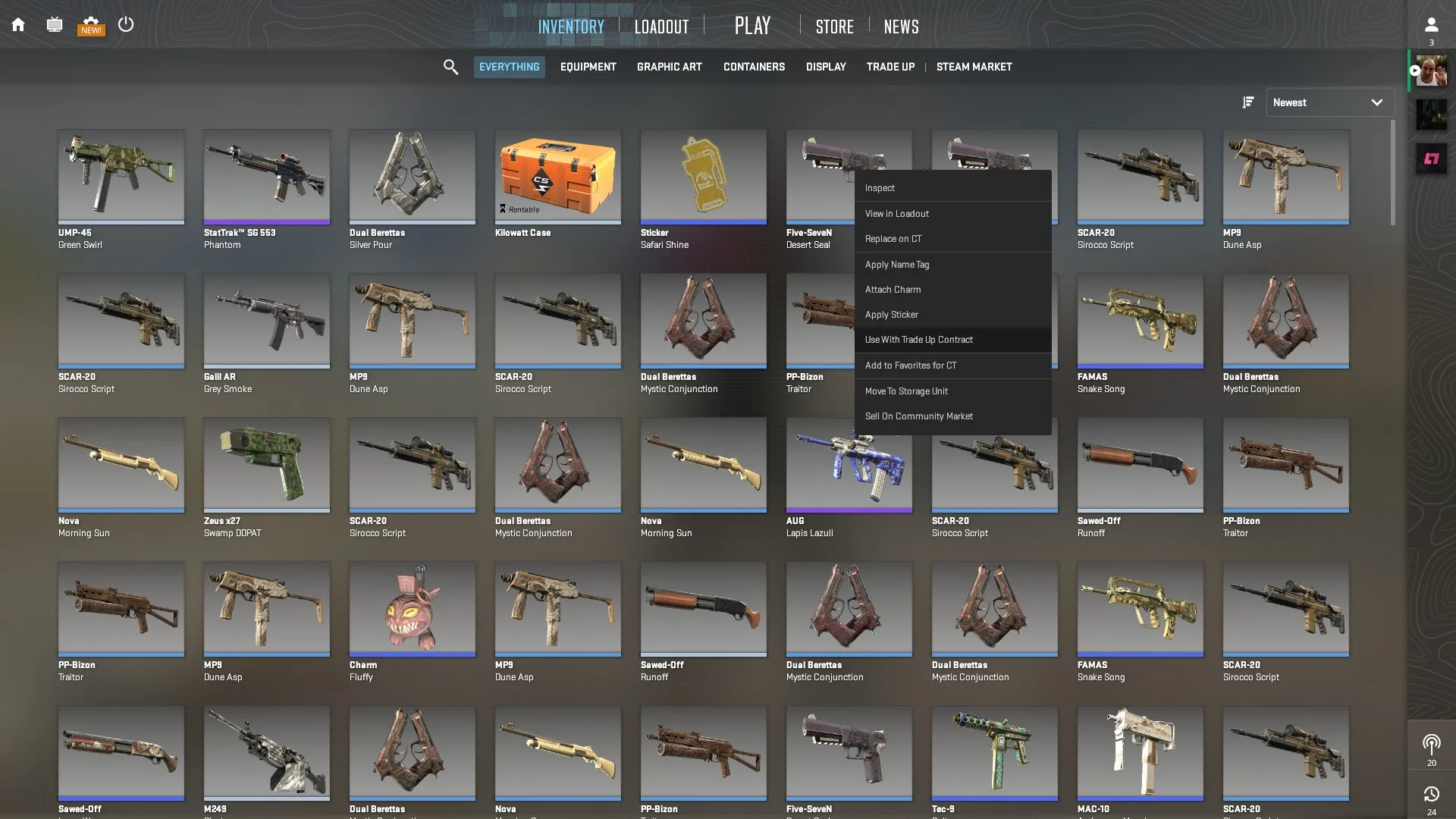
Right click a skin in your inventory and choose “Use with Trade Up Contract”. - Add the other 9 skins.
- Check all floats once more and press confirm. You will get 1 skin of the next rarity.
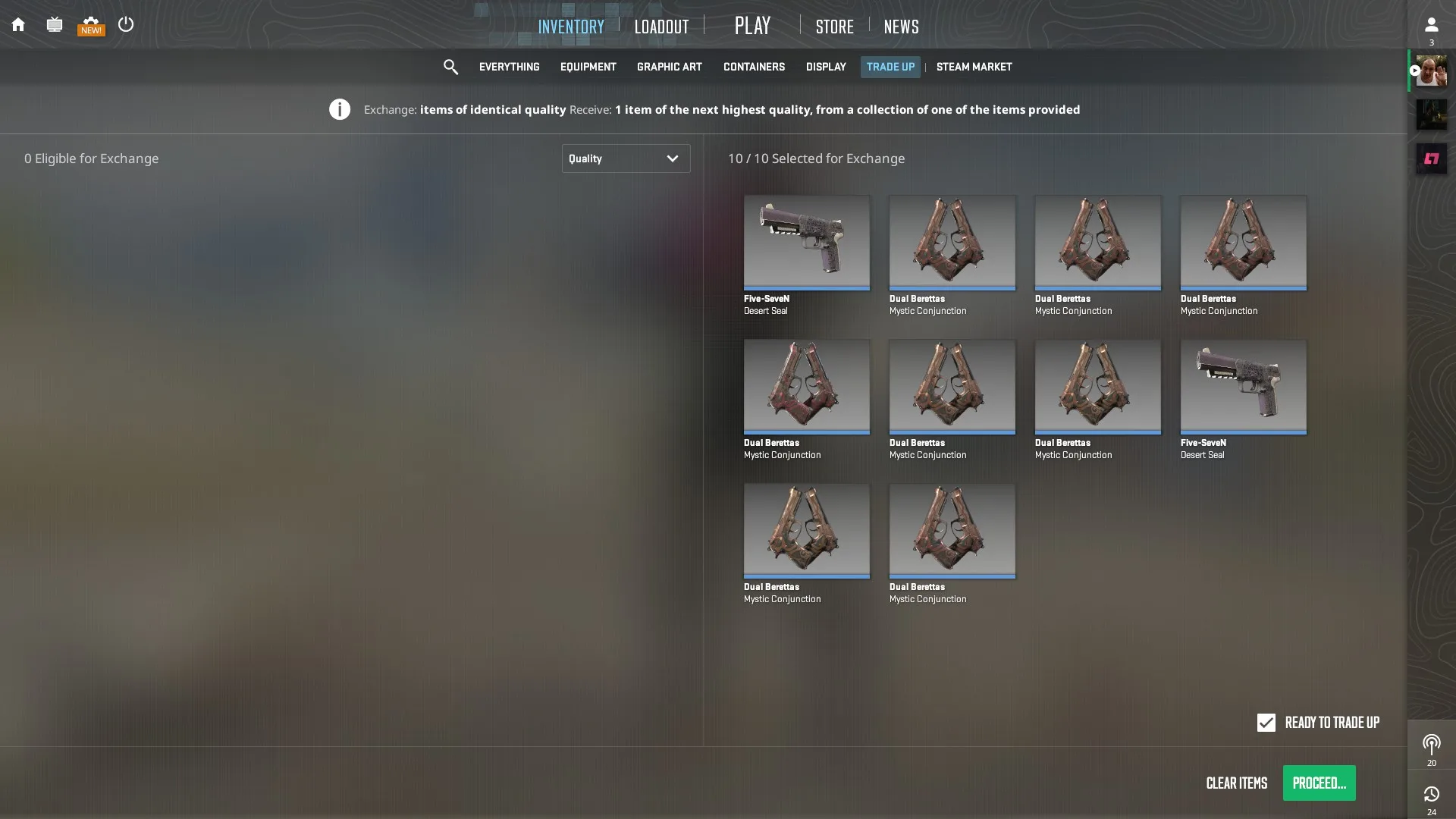
A filled in trade up contract with 10 skins, ready to confirm.
Floats
The float of the output skin you get is based on the average float of the 10 skins you put in. Some skins have a float cap, which means the output float can be different from what you expected, so always use a calculator. Float caps can be used to make trade ups profitable. A float that is just 0.001 too high can turn a Factory New outcome into a Minimal Wear outcome and make the whole trade up unprofitable. I have experienced this as well and it is quite painful. My trade up algorithm page explains the float calculation.
Finding a profitable trade up
The easiest way is my trade up calculator. It shows nearly every profitable trade up, with the input skins, floats and possible outcomes, and it is updated every day. Set your budget and the risk you want to take, then check the float and the current price of every input before you buy.
Using buy orders on for example the Steam market instead of buying listed skins right away can get you cheaper input skins. But you will also get skins with unusable floats that you will need to resell again, so keep the Steam fee in mind. Prices can jump when a trade up becomes popular, so don’t overpay for an input skin. If the inputs cost more than the outcome is worth, skip it.
If you want to check your own selection of skins, you can use a tool like Trade Up Spy, and the Steam Community Market for current prices.
Where to buy the skins
The Steam Community Market is the safest, but prices are higher because of the fees. Marketplaces like Skinport, Buff.163 and Tradeit.gg (affiliate link, I may earn a commission) are often cheaper, but check the seller or site first. Trading communities like r/GlobalOffensiveTrade can also have good deals, but be careful not to get scammed.
Risks
Prices change. Skin prices move with supply, demand and game updates. An old trade up that was profitable a week ago can be an unprofitable trade today, so always check the current prices. The recently added 7 day trade hold makes this even worse, because the output you got can change in price before you have a chance to sell.
Common mistakes: wrong floats (you get a worse wear than expected), doing an old trade up without checking if it is still profitable, and not double checking your skins after you put them in the contract.
Scams. Stick to trusted marketplaces, double check trade offers and stay away from deals that look too good to be true. Turn on Steam Guard and trade confirmations.
Conclusion
Trade ups can be a good way to upgrade your skins or make a profit, but most of them lose money. Pick the trade up with the calculator, check floats and prices and start small. If you want the lowest risk, filter on 100% profit chance, but the inputs for these trade ups are most likely hard to find.
Frequently asked questions
What is a CS2 trade up contract?
A trade up contract lets you exchange 10 skins of one rarity for 1 skin of the next rarity. For example, 10 Mil-Spec Dreams & Nightmares skins give you 1 Restricted Dreams & Nightmares skin. With the right floats, you can make a profit.
How many skins do I need for a trade up?
10 skins of the same rarity, or 5 Covert skins for a knife or gloves. The skins can be from different collections, but they must all have the same rarity.
Can I lose money with a trade up?
Yes. If the skin you get is worth less than the 10 skins you used, you lose money. The only way to avoid this is a no-risk trade up, where every possible outcome is profitable. You can find the current ones by setting “Profit chance” to 100% in my trade up calculator. The input skins for those are usually harder to find at the right float and price.
What tools can help me?
My trade up calculator shows profitable trade ups every day. For your own selection of skins you can use Trade Up Spy.